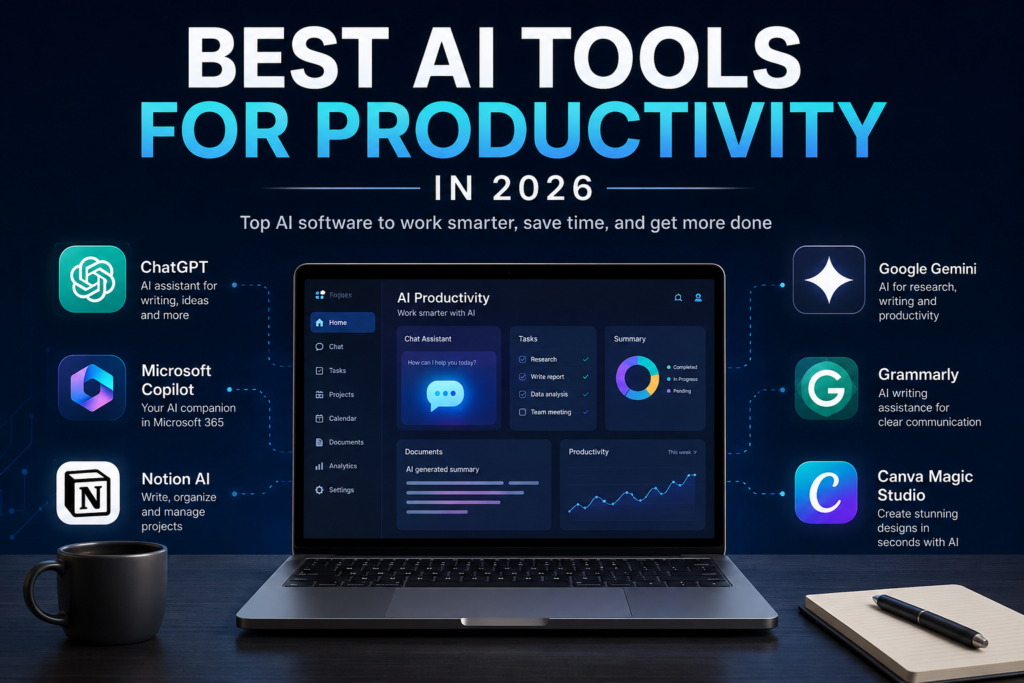
Artificial intelligence continues to transform the way people create content, design graphics, and manage digital marketing campaigns. In recent years, numerous AI-powered tools have entered the market, promising to simplify creative workflows and improve productivity. However, few platforms have successfully integrated artificial intelligence into an easy-to-use environment as effectively as Canva.
Originally launched as a simple online graphic design platform, Canva has evolved into a comprehensive content creation ecosystem used by millions of individuals, businesses, educators, and marketers worldwide. The introduction of Canva Magic Studio represents the company’s most ambitious step toward AI-powered creativity, bringing advanced automation and content generation tools directly into the Canva platform.
This Canva Magic Studio Review explores everything users need to know about the platform in 2026, including its features, pricing, strengths, limitations, and real-world applications. Whether you’re a blogger, content creator, entrepreneur, or marketing professional, this review will help you determine whether Canva Magic Studio deserves a place in your workflow.
What Is Canva Magic Studio?
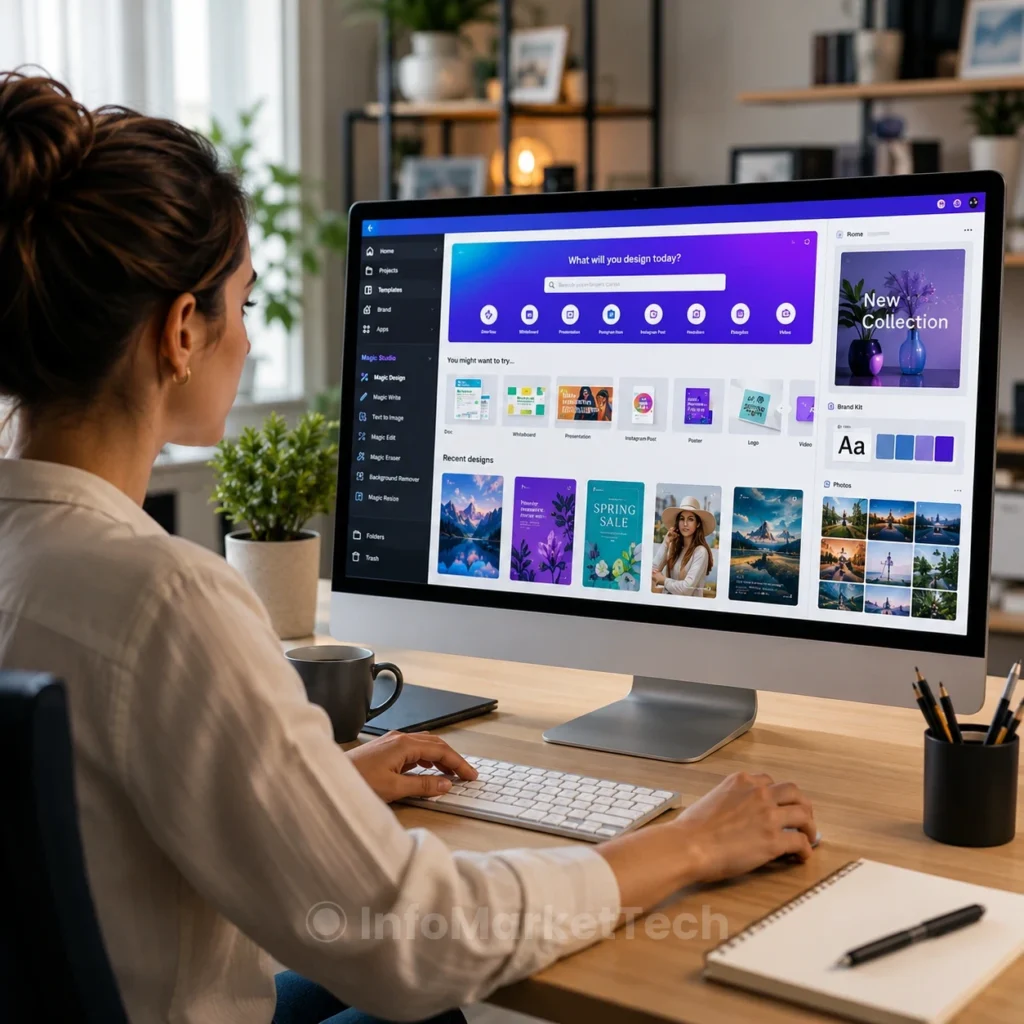
Canva Magic Studio is a collection of artificial intelligence tools integrated directly into Canva’s design platform. Rather than requiring users to switch between multiple software applications for writing, image creation, editing, and presentation design, Magic Studio centralizes these capabilities into a single environment.
The platform leverages generative AI to automate many of the most time-consuming creative tasks. Users can generate text, images, presentations, videos, and marketing materials using simple prompts and instructions.
The goal is simple: allow users to create professional-quality content faster while reducing the technical barriers traditionally associated with graphic design and content production.
Unlike standalone AI tools that focus on a single function, Canva Magic Studio combines multiple creative technologies into one integrated ecosystem.
Why Canva Magic Studio Has Become So Popular
Several factors have contributed to the rapid growth of Canva Magic Studio.
First, Canva already had an enormous user base before introducing AI features. Millions of creators were already familiar with the platform’s intuitive interface and template-based design system.
Second, Canva made artificial intelligence accessible to non-technical users. Many competing AI platforms require extensive prompting skills or specialized knowledge. Canva simplifies the process by integrating AI directly into familiar design workflows.
Third, the platform offers tremendous versatility. Instead of purchasing separate subscriptions for AI writing software, image generators, presentation builders, and editing tools, users can access many of these functions through a single platform.
This convenience has made Canva Magic Studio particularly attractive to small businesses, freelancers, students, educators, and content creators.
Key Features of Canva Magic Studio
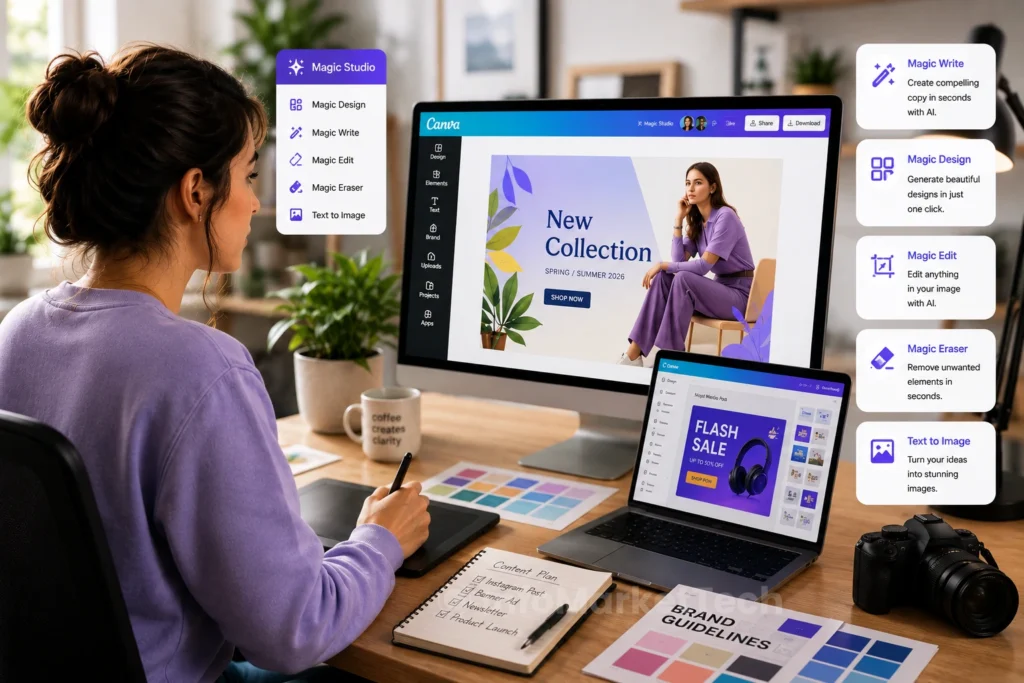
Magic Design
Magic Design is one of the most powerful tools within Canva Magic Studio.
Users can upload an image, enter a design concept, or provide a brief description of a project. The AI then generates multiple design variations automatically.
This feature significantly reduces the time required to create:
- Social media graphics
- Website banners
- Marketing materials
- Business presentations
- Blog graphics
- Advertisements
Rather than starting with a blank canvas, users receive professionally designed layouts that can be customized further.
For busy marketers and entrepreneurs, this feature alone can save hours of work each week.
Magic Write
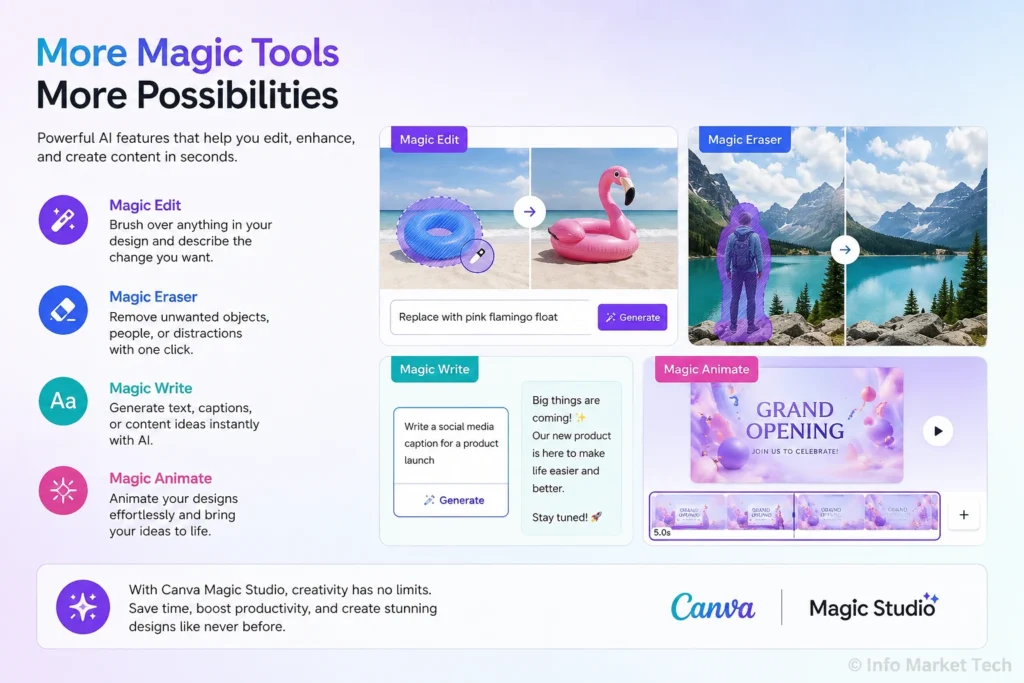
Magic Write serves as Canva’s AI writing assistant.
This tool helps users generate written content for various purposes, including:
- Blog posts
- Social media captions
- Product descriptions
- Marketing emails
- Website copy
- Presentation content
Users simply provide a prompt describing what they need, and Magic Write generates text accordingly.
While dedicated AI writing tools may offer more advanced capabilities, Magic Write performs exceptionally well for everyday content creation needs.
The integration directly within Canva provides a major advantage because users can generate both written and visual content without leaving the platform.
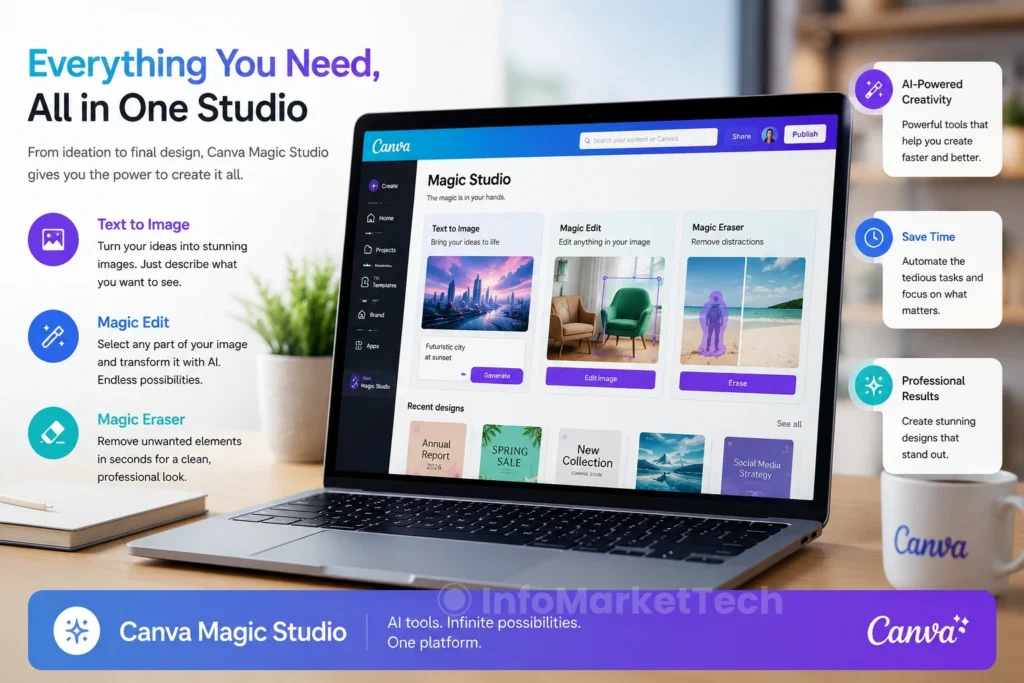
Text to Image
AI image generation has become one of the most popular applications of artificial intelligence, and Canva has fully embraced this trend.
The Text to Image feature allows users to generate original artwork and visuals from simple text prompts.
Users can create:
- Blog illustrations
- Website graphics
- Social media visuals
- Concept art
- Product mockups
- Marketing images
This functionality helps creators produce unique content without relying entirely on stock photography.
For website owners and bloggers, the ability to generate custom images quickly can significantly improve content originality and visual appeal.
Magic Edit
Image editing traditionally requires specialized software and technical skills. Magic Edit simplifies the process dramatically.
Users can select portions of an image and instruct Canva to modify specific elements using natural language prompts.
Examples include:
- Replacing objects
- Changing colors
- Adding design elements
- Removing distractions
- Enhancing visual composition
This feature makes advanced editing accessible to beginners while still providing value for experienced creators.
Magic Eraser
Magic Eraser allows users to remove unwanted objects from photos with minimal effort.
Whether eliminating background distractions, unwanted people, or unnecessary objects, the AI analyzes the image and fills the selected area intelligently.
This capability is particularly useful for:
- Product photography
- Social media content
- Marketing materials
- Website graphics
The results are often surprisingly effective and require far less manual effort than traditional photo editing methods.
AI Presentation Generator
Creating presentations can consume significant amounts of time, especially when developing slides from scratch.
Canva’s AI Presentation Generator simplifies this process by automatically generating slide decks based on a topic or prompt.
The AI assists with:
- Slide structure
- Design selection
- Content suggestions
- Visual organization
- Presentation flow
Students, educators, consultants, and business professionals can dramatically reduce preparation time while maintaining professional presentation quality.
Background Remover
The Background Remover remains one of Canva’s most practical and widely used features.
With a single click, users can isolate subjects from backgrounds, creating clean and professional images suitable for:
- E-commerce listings
- Marketing campaigns
- Website graphics
- Branding materials
This feature previously required expensive software such as Adobe Photoshop. Canva now makes it available through an intuitive interface that virtually anyone can use.
Brand Kit Integration
Businesses benefit significantly from Canva’s Brand Kit functionality.
The system allows users to maintain brand consistency by storing:
- Logos
- Color palettes
- Brand fonts
- Visual guidelines
When combined with AI-generated content, Brand Kits ensure that designs remain aligned with company branding standards.
For marketing teams and agencies, this feature improves efficiency while preserving visual consistency across campaigns.
User Experience and Ease of Use
One of Canva’s greatest strengths remains its user experience.
Unlike many professional design applications that involve steep learning curves, Canva focuses on simplicity and accessibility.
The platform features:
- Drag-and-drop editing
- Cloud-based access
- Extensive template libraries
- Mobile compatibility
- Team collaboration tools
Even first-time users can begin creating professional content within minutes.
This ease of use is a major reason Canva continues attracting users from a wide range of industries and skill levels.
Canva Free vs Canva Pro
Understanding the difference between Canva Free and Canva Pro is essential before investing in the platform.
Canva Free
The free version includes:
- Basic design tools
- Thousands of templates
- Limited AI features
- Cloud storage
- Collaboration capabilities
For casual users, the free plan may provide sufficient functionality.
Canva Pro
Canva Pro unlocks:
- Full Magic Studio access
- Premium templates
- Background Remover
- Brand Kits
- Expanded storage
- Advanced collaboration features
- Enhanced AI capabilities
For businesses and content creators producing content regularly, Canva Pro offers significantly more value.
Real-World Use Cases
Canva Magic Studio serves a wide range of users.
Bloggers
Bloggers can use Canva to create:
- Featured images
- Infographics
- Pinterest graphics
- Social media content
Small Businesses
Small businesses benefit from:
- Marketing materials
- Advertisements
- Product promotions
- Brand consistency
Content Creators
Content creators can streamline workflows by generating:
- Visual content
- Thumbnails
- Social posts
- Presentation materials
Educators
Educators have embraced Canva Magic Studio as an innovative solution for creating engaging and visually appealing learning materials. Teachers can quickly design presentations, lesson plans, classroom posters, worksheets, infographics, quizzes, certificates, and educational videos using AI-powered tools that significantly reduce preparation time.
Magic Write can generate lesson summaries, discussion questions, and classroom activities, while Magic Design helps instructors transform simple ideas into professional educational resources within minutes.
Students also benefit from the platform by creating visually impressive projects, presentations, portfolios, and collaborative assignments without requiring advanced graphic design skills.
For both in-person and online learning environments, Canva Magic Studio has become an invaluable productivity tool.
Teachers and students use Canva to create:
- Classroom materials
- Presentations
- Educational graphics
- Reports
The platform’s flexibility makes it useful across numerous industries and professions.
Performance and User Experience
One of Canva Magic Studio’s greatest strengths is its performance. Despite integrating multiple AI-powered tools into a single platform, Canva maintains a clean, responsive, and intuitive interface that performs exceptionally well across desktop and mobile devices.
Navigation is straightforward, allowing users to move seamlessly between different design projects without feeling overwhelmed. AI-generated suggestions appear quickly, and most tasks — such as generating images, creating presentations, or producing written content — are completed within seconds.
The cloud-based infrastructure also ensures that projects are automatically saved, making collaboration easier for teams working remotely.
Although AI image generation may occasionally take longer during peak usage periods, overall performance remains excellent for most users.
Canva Magic Studio Pricing
Canva offers multiple subscription options designed to accommodate different types of users.
Canva Free
The free plan provides access to thousands of templates, basic design tools, limited AI functionality, and cloud storage. It is ideal for casual users, students, or anyone exploring the platform before committing to a paid subscription.
Canva Pro
Canva Pro unlocks the complete Magic Studio experience, including premium templates, advanced AI features, Brand Kits, Background Remover, Magic Resize, expanded cloud storage, and collaboration tools.
For bloggers, marketers, entrepreneurs, and content creators who publish content regularly, Canva Pro delivers significantly greater value and productivity.
Canva Teams
Designed for businesses and organizations, Canva Teams includes everything in Canva Pro while adding centralized brand management, enhanced collaboration features, approval workflows, and administrative controls.
This plan is especially useful for marketing departments and agencies managing multiple designers or clients.
Canva Magic Studio vs. Competitors
Artificial intelligence has become one of the most competitive areas in creative software. Several companies now offer AI-powered design tools, but Canva continues to distinguish itself through simplicity and versatility.
Canva Magic Studio vs. Adobe Express
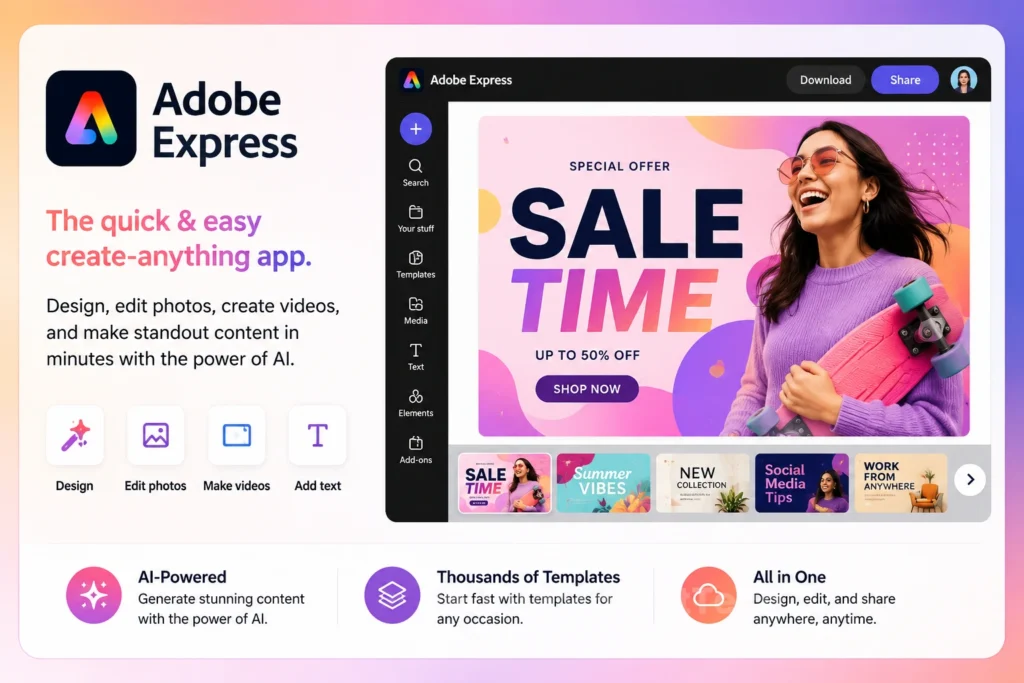
Adobe Express provides powerful design capabilities and excellent integration with the Adobe ecosystem. However, Canva remains easier for beginners thanks to its intuitive interface and larger collection of ready-to-use templates.
Users who already rely heavily on Adobe Photoshop or Illustrator may prefer Adobe Express, while those looking for an all-in-one solution with a shorter learning curve will likely find Canva more accessible.
Canva Magic Studio vs. Microsoft Designer
Microsoft Designer uses advanced AI technology and integrates well with Microsoft 365 applications. While it excels at quickly generating graphics, Canva currently offers a broader range of templates, editing tools, collaboration features, and educational resources.
For users seeking a complete creative platform rather than a simple AI image generator, Canva remains the stronger option.
Canva Magic Studio vs. Visme
Visme focuses primarily on presentations, infographics, and business communications. Canva, on the other hand, supports a much wider variety of creative projects, including social media graphics, videos, websites, print materials, and AI-generated content.
For most users, Canva provides greater flexibility.
Pros
- Extremely easy to learn, even for beginners.
- Excellent collection of AI-powered creative tools.
- Outstanding template library covering virtually every industry.
- High-quality AI image generation.
- Powerful collaboration features for teams.
- Cloud-based platform accessible from anywhere.
- Frequent feature updates and improvements.
- Excellent value for money with Canva Pro.
Cons
- Some advanced AI features require a paid subscription.
- AI-generated text occasionally needs editing for accuracy or tone.
- Image generation quality depends on the prompt provided.
- Internet connection is required for most features.
- Professional graphic designers may still prefer specialized desktop software for highly complex projects.
Tips to Get the Most Out of Canva Magic Studio
To maximize the platform’s potential, consider these best practices:
- Write detailed prompts when using Magic Write or Text to Image.
- Save your brand colors, fonts, and logos using Brand Kit.
- Take advantage of Canva’s template library before designing from scratch.
- Use Magic Resize to quickly adapt graphics for multiple social media platforms.
- Organize projects into folders for easier collaboration.
- Combine AI-generated content with your own creativity rather than relying entirely on automation.
These small habits can significantly improve productivity and help produce more professional results.
Frequently Asked Questions (FAQ)
Is Canva Magic Studio free to use?
Yes. Canva offers a free plan that includes access to some Magic Studio features. However, advanced AI tools, premium templates, Brand Kits, and additional creative capabilities require a Canva Pro subscription.
Is Canva Magic Studio worth paying for?
If you regularly create blog posts, social media content, presentations, marketing materials, or business graphics, Canva Pro offers excellent value. The AI-powered features can save hours of work every week, making the subscription worthwhile for professionals and businesses.
Can beginners use Canva Magic Studio?
Absolutely.
One of Canva’s greatest advantages is its beginner-friendly interface. Even users with no prior design experience can create professional-quality graphics using templates and AI-assisted tools.
Can Canva Magic Studio generate AI images?
Yes.
The Text to Image feature allows users to create original AI-generated artwork from simple text prompts. These images can be used for websites, blog posts, presentations, marketing campaigns, and social media content.
Is Canva Magic Studio good for bloggers?
Yes.
Bloggers can use Canva Magic Studio to create featured images, Pinterest graphics, infographics, social media posts, YouTube thumbnails, email marketing graphics, and AI-assisted written content, all from one platform.
Can businesses use Canva Magic Studio?
Definitely.
Small businesses and marketing teams frequently use Canva to produce professional branding materials, advertising campaigns, product promotions, presentations, and business documentation while maintaining consistent brand identity through Brand Kits.
Does Canva Magic Studio replace Adobe Photoshop?
Not entirely.
While Canva Magic Studio handles many everyday design tasks exceptionally well, Adobe Photoshop still offers significantly more advanced editing capabilities for professional photographers, graphic designers, and digital artists.
However, for most users—including bloggers, entrepreneurs, educators, and marketers—Canva provides more than enough functionality with a much shorter learning curve.
Is Canva Magic Studio safe to use?Yes.
Yes.
Canva is a trusted cloud-based platform used by millions of individuals and organizations worldwide. It employs industry-standard security practices to protect user accounts, projects, and stored content.
Final Verdict
Canva Magic Studio has successfully transformed Canva from a simple graphic design platform into one of the most complete AI-powered creative ecosystems available today.
Instead of forcing users to rely on multiple software applications for writing, image generation, editing, presentations, branding, and collaboration, Canva brings everything together in a single intuitive workspace. This integration not only improves productivity but also makes professional-quality content creation accessible to users of all experience levels.
The platform continues to evolve rapidly, adding new AI capabilities that simplify complex creative tasks while maintaining the ease of use that made Canva popular in the first place. Whether you’re producing marketing campaigns, educational materials, blog graphics, or business presentations, Magic Studio delivers an impressive balance between automation and creative control.
Although professionals working in highly specialized design fields may still require advanced software such as Adobe Photoshop or Illustrator, Canva Magic Studio has become more than capable of meeting the daily needs of most creators.
For bloggers, content creators, educators, entrepreneurs, freelancers, and small businesses, it remains one of the smartest investments available in AI-powered productivity software.
Conclusion
Artificial intelligence is reshaping digital content creation, and Canva Magic Studio stands at the forefront of that transformation. By combining AI writing, image generation, intelligent design suggestions, presentation creation, photo editing, and collaboration tools into a unified platform, Canva has created an ecosystem that dramatically simplifies creative workflows.
Its intuitive interface, extensive template library, powerful automation features, and affordable pricing make it one of the best all-in-one creative platforms available in 2026. Whether you’re designing your first social media graphic or managing marketing campaigns for an entire business, Canva Magic Studio offers the flexibility and efficiency needed to produce high-quality work with confidence.
After thoroughly evaluating its features, usability, pricing, and overall performance, Canva Magic Studio earns our recommendation as one of the best AI design platforms available today.
Overall Rating
⭐⭐⭐⭐⭐ 9.7/10
Pros
- Outstanding ease of use.
- Excellent AI-powered creative tools.
- Huge template library.
- Strong collaboration features.
- Great value for money.
- Regular feature updates.
Cons
- Some premium AI tools require Canva Pro.
- AI-generated content may occasionally require manual refinement.
- Advanced professional designers may still need specialized desktop software.
Recommendation: If you’re looking for an all-in-one AI design platform that balances simplicity, creativity, and productivity, Canva Magic Studio is an excellent choice and one of the strongest software recommendations for 2026.